I’ve been a member of Marketing Profs for years now. The amount of professional generosity never ceases to amaze me… nor does the stupidity but that is another post entirely. Len Kendall's post “that people are starting to view the Google search bar as their URL entry box” might be a little late out of the box but it should be enough to have you ignoring the rest of this post and typing your company's name in the search bar.
Glad you made it back. What did you see? Was it enough to make you realize that all your carefully planned branding efforts might very well be sharing space with some very unsavory company… and worse… your competition. What am I talking about? Search again and this time take notice of all of the other information in the search results. That's what consumers do.
Len Kendall references Josh Catone’s post at Read, Write, Web. This insightful post informs us about a possible new trend forming here in the States. Trends show that the way people search and the increased use of the mobile web, among others, should be enough for you to consider changing your web strategy. Kellogg’s went as far as purchasing the top sponsored search result for "Special K" on Yahoo! and Google to support their TV ads. Maybe the future is branded search results as Allen Stern of Center Networks points out.
Search over URL is here to stay. And even if you can't afford a national ad campaign or the purchase of top spots in search results, you do have the resources to provided your customers with a well-thought-out and well-designed web site. Evaluate the keywords and content on your site. Eliminate all the junk you think is necessary and simplify your message.
Saturday, May 30, 2009


Saturday, May 23, 2009
Crumpling as Identity
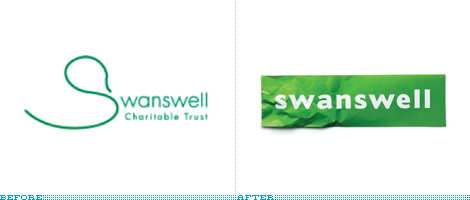 Sometimes the obvious just isn't so obvious until you bring in a professional… or two. Brand New has a post about the retooled Swanswell brand by Brand Guardians. They went on to hire johnson banks to handle the design chores. Swanswell is an agency that helps people with their drug and alcohol dependencies, said, ‘give me a brand my people and service users deserve’.
After the usual “brand strategy ‘thing’ (capabilities, competition, customers, vision and mission etc)” they had their ah-ha moment and started to explore the possibilities of using the “well” at the end of the company’s name. “Various typographic experiments followed, before the discovery that a piece of paper, crumpled at one end, could act as a suitable metaphor for someone's life smoothing itself out.”
Brand Guardian's Jonathan Mercer points out that he “never tire[s] of telling them brand development is less about invention, and more about archeology. We know the solution is ‘in there somewhere’, it just has to be revealed.” I always knew that, I guess I just hadn't seen it said so well.
The simplicity of this design is nothing short of brilliant.
Sometimes the obvious just isn't so obvious until you bring in a professional… or two. Brand New has a post about the retooled Swanswell brand by Brand Guardians. They went on to hire johnson banks to handle the design chores. Swanswell is an agency that helps people with their drug and alcohol dependencies, said, ‘give me a brand my people and service users deserve’.
After the usual “brand strategy ‘thing’ (capabilities, competition, customers, vision and mission etc)” they had their ah-ha moment and started to explore the possibilities of using the “well” at the end of the company’s name. “Various typographic experiments followed, before the discovery that a piece of paper, crumpled at one end, could act as a suitable metaphor for someone's life smoothing itself out.”
Brand Guardian's Jonathan Mercer points out that he “never tire[s] of telling them brand development is less about invention, and more about archeology. We know the solution is ‘in there somewhere’, it just has to be revealed.” I always knew that, I guess I just hadn't seen it said so well.
The simplicity of this design is nothing short of brilliant.
Monday, April 27, 2009
Type Tips – Proportional Vs Tabular Figures

by Ilene Strizver, founder of The Type Studio
Some numbers add up, and others don’t – no, it’s not your tax return. It’s the difference between proportional and tabular numerals. Know which style you need before you choose a typeface and you’ll reap a big savings in time and effort. Tabular numerals are those where each numeral has the same total character width (that’s the width of the numeral itself plus the white space on both sides). Tabular spacing (also referred to as monospacing) allows numerals to align vertically in tables, financial statements and other columns of figures. Tabular figures are usually lining figures, meaning that they sit on the baseline and have the same height as the capital letters, but on occasion you’ll see old style figures that are tabular. (Old style figures are also called lowercase or non-aligning figures.) On the other hand, display typefaces usually contain proportional figures. The total character widths of these figures are based on the width of the numeral itself plus a small amount of white space around it, so an 8 takes up more width than a 1, for example. Proportional figures can be of the lining or old style variety. In either case, their varying widths give them a more even color and texture, especially around the numeral 1. Proportional figures are not intended for use in charts and tables, since they won’t align in vertical columns. When selecting a font for a project, think about how you’ll be using numerals in your design and make sure the font you choose offers the style of figures you need. While it’s fairly simple to kern a tabular 1 to improve its spacing in a text setting, it’s nearly impossible to kern proportional numerals for vertical alignment in a financial statement. For maximum flexibility, consider using OpenType fonts, which are becoming available from more and more foundries. This new font format often comes with both tabular and proportional figures in both lining and old style varieties, but requires using an application that supports this feature.
Editor’s Note: Ilene Strizver, founder of The Type Studio, is a typographic consultant, designer and writer specializing in all aspects of typographic communication. Read more about typography in her latest literary effort, Type Rules!, published by North Light Books. This article was commissioned and approved by Monotype Imaging Inc.
Monday, April 20, 2009
Type Tips – Open Type

by Ilene Strizver, founder of The Type Studio
If you’re a graphic designer and work on a Macintosh system, chances are you typically use PostScript® Type 1 fonts. If you primarily do web design, or work on a Windows machine, you probably use your share of TrueType fonts. Both formats have their advantages and disadvantages, but now there’s OpenType – offering the best of both worlds, and much more. New Features OpenType is a kind of superset of Type 1 and TrueType font formats, with added enhancements. It is backward-compatible with applications that support Type 1 and TrueType fonts (including design applications and printer drivers), and you can mix OpenType fonts with other font formats without a problem. OpenType also offers some remarkable new features that require OpenType-compatible applications. (If you’re using the latest version of your operating system and applications, you may already have this capability – check with the manufacturers to be sure.) Three of these new features that are of particular benefit to designers are multi-platform support, expanded character sets and glyph substitution. Read more about the features…
Editor’s Note: Ilene Strizver, founder of The Type Studio, is a typographic consultant, designer and writer specializing in all aspects of typographic communication. Read more about typography in her latest literary effort, Type Rules!, published by North Light Books. This article was commissioned and approved by Monotype Imaging Inc.
Monday, April 13, 2009
Type Tips – Bullets

From FontShop founder Erik Spiekermann
Use bullets or centered points instead of hyphens (-) when you list items. Bullets are part of the standard character set and are located in the following positions:
•
option-8 (Mac), ALT+0149 (Windows)·
option-shift-9 (Mac), ALT+0183 (Windows)
Subscribe to:
Comments (Atom)